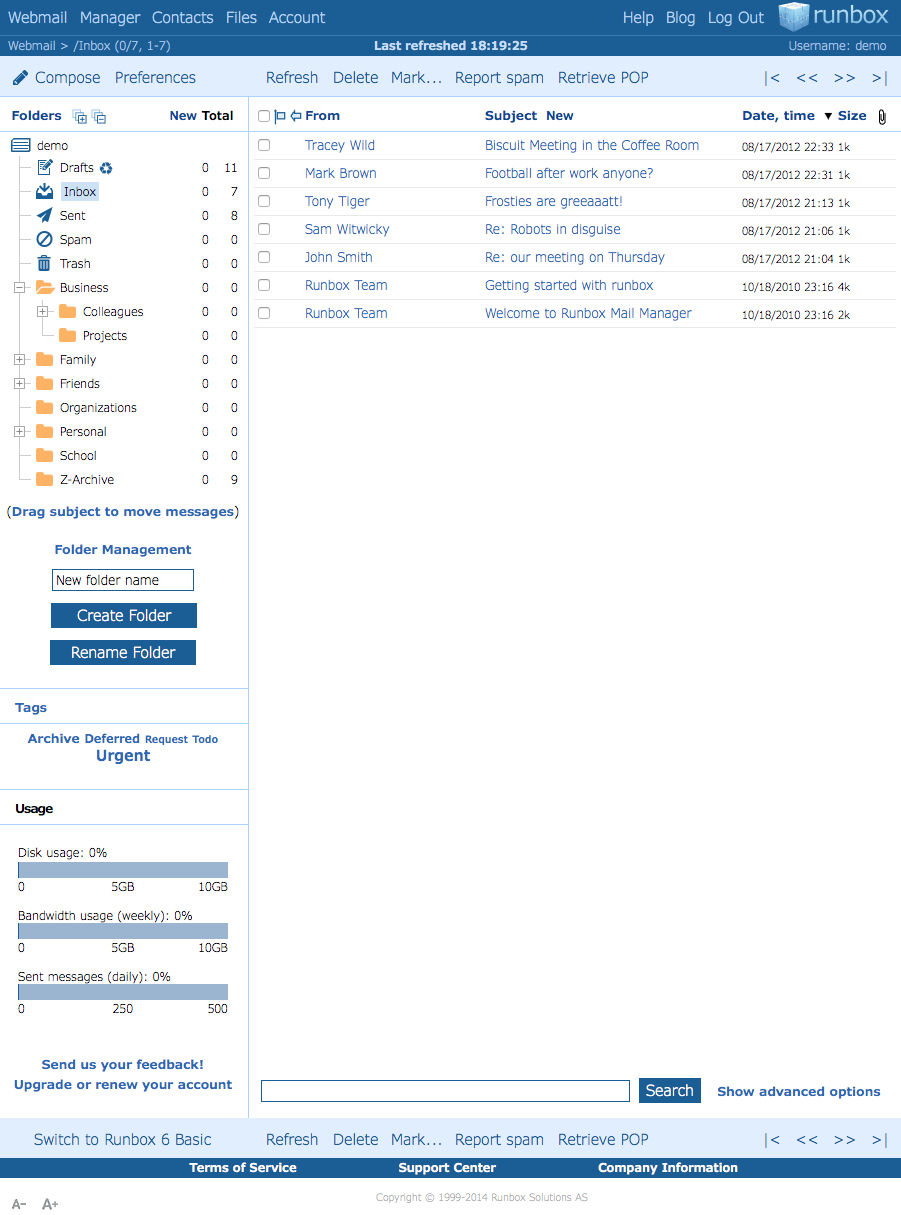
Introducing Runbox 7 Contacts

It is our pleasure to announce that the new Runbox 7 Contacts is available in open beta test!

If you’re already using Runbox 7 you may have noticed them already, and if you aren’t — here’s another reason to try it: Runbox 7 Contacts combines the best of the Runbox 7 web interface with the world of email clients.

Modern user interface

The first thing you’ll notice after clicking Contacts in the main menu in Runbox 7 is the beautiful and smooth user interface.

Runbox 7 Contacts is built with the same Angular framework that powers the Runbox 7 Webmail, and you will recognize its design components and interactive functionality.
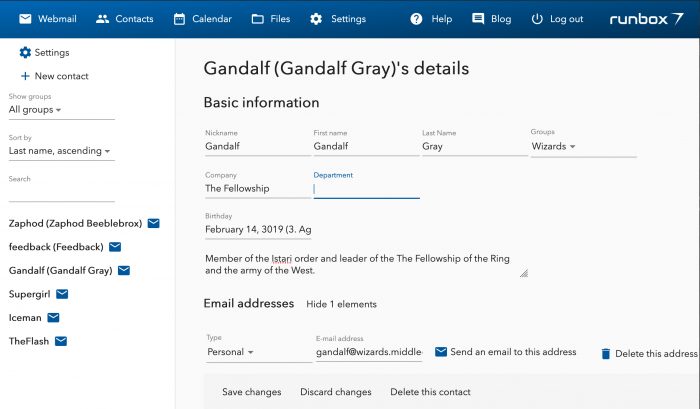
Runbox 7 Contacts
Runbox 7 Contacts

New Contacts storage (CardDAV)

One of the key parts of the new Contacts is how we store your contacts on the servers. So far they’ve been stored in a proprietary database, with no other way to access them than through the Runbox 6 web interface.

This has been an annoyance to those of you who would like to use your contacts across many different apps and devices.

From now on in the new Runbox 7, all contacts will be stored on a CardDAV server – an open standard for sharing contacts and address books between different devices.

The advantages of Runbox 7 Contacts

If you know what CardDAV is, chances are you were eagerly awaiting this and need no further encouragement to use it. If you’ve never heard of it before, here are two key benefits it has over the existing system

First of all, Runbox 7 uses the standard vCard for representing the contacts. You may have heard the name before — if you ever sent a contact to someone over an SMS for example, it was a vCard. Using vCards in Runbox 7 Contacts means that much more flexibility when it comes to the information you can store.

vCards in Runbox 7 and CardDAV can store everything Runbox 6 can, and more — as many emails, phones and addresses as you desire, all categorized. Pictures, links to social media accounts, messengers, public keys for encryption; whatever you can think of, it’s probably there.

Second, you can access your Runbox 7 Contacts everywhere. No need to even use the Runbox 7 app — you can use any email client, any contacts app on your computer or your phone, and you’ll have access to the same contacts everywhere.

Add them on your phone, edit them on your laptop, and then they’ll still be available Runbox 7 when you compose a new email. Runbox 7 Contacts contains all the information that you need to set up any other apps that you use.

Using Runbox 7 Contacts

Until you migrate your contacts they will not be available for synchronization yet. Migrating them will move them over to CardDAV and give you all the glorious new features of Runbox 7 Contacts.
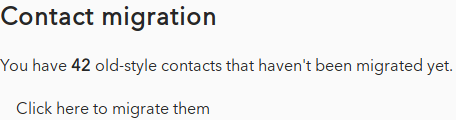
2019-04-01-121407_456x120_scrot

Try out the new Runbox 7 Contacts by logging into Runbox 7 and clicking Contacts in the main menu.

And let us know what you think over in the Runbox 7 Forum!

Share:

Continue Reading →

The secret behind Runbox 7’s speed

Runbox 7 SpeedRunbox 7 Webmail recently entered open beta, and if you haven’t tried it yet you are missing out!

When you log into Runbox 7 the first thing you’ll notice — aside from its beautiful design — is the speed.

Your folders and messages will load instantly, and no matter how many messages you have the message list will scroll without delay and without any limit.

Gone are the days of waiting for the next screen-full of messages to load, or having to click to navigate between pages. Switching between folders, sorting the message list, and moving messages — any action you perform is executed instantly.

And the message search is lightning fast — results will show up immediately while you type into the search field. Combined with message threading and inline message previews, this makes email management extremely efficient with Runbox 7.

Under the hood

WebAssembly LogoWe have modified Xapian by porting Xapian to WebAssembly using the C to WebAssembly compiler from emscripten, which lets it run both in NodeJS on the server and in the browser. Our fork of Xapian will be merged into Xapian’s repository on Github so that it will become available for others to use.

Xapian logoThis is accomplished by utilizing a custom version of the open source Xapian email indexer. We have always been impressed with Xapian’s processing speed, reliability, and adaptability, and it’s ability to index large amounts of messages.

The Runbox 7 Webmail App is open source and is available in our main repo at https://github.com/runbox/runbox7. We encourage you to check out our code base, and invite you to join the Runbox revolution by getting involved in our growing community at https://community.runbox.com!

A separate repo at https://github.com/runbox/runbox-searchindex generates the xapian.wasm module in WebAssembly in C++.

The Xapian database is stored in the browser using IndexedDB, which is available through the IDBFS file system of emscripten.

Combined with a central message database and the use of websockets, this allows the indices to stay in sync when new email arrives on the server and when changes are made locally.

The user interface

The power of the WebAssembly Xapian port is matched by the message listing which is written in HTML5 Canvas. This makes it possible to handle large tables and quick re-rendering, and provides good control of the rendering process.

Ordinary HTML tables would suffer slowdown penalties on sorting, filtering, and resizing, and would require pagination, and would not be efficient enough for our needs.

The Canvas element is wrapped in a  user interface written in HTML/Typescript using Angular 2+, and is built using UI elements from https://material.angular.io/.

Mail parsing is done using the HTML parser from Andris Reinmann which is written for NodeJS and can be found here: https://github.com/andris9/mailparser.

Share:

Continue Reading →

Runbox 7 Webmail closed beta test

Runbox 7

We are excited to announce the closed beta test phase of Runbox 7 Webmail!

This release is not merely an upgrade to our existing services, it’s a bold step into a new world of Webmail apps that will provide unprecedented speed and usability.

Runbox 7 aims to be the fastest webmail on the planet with:

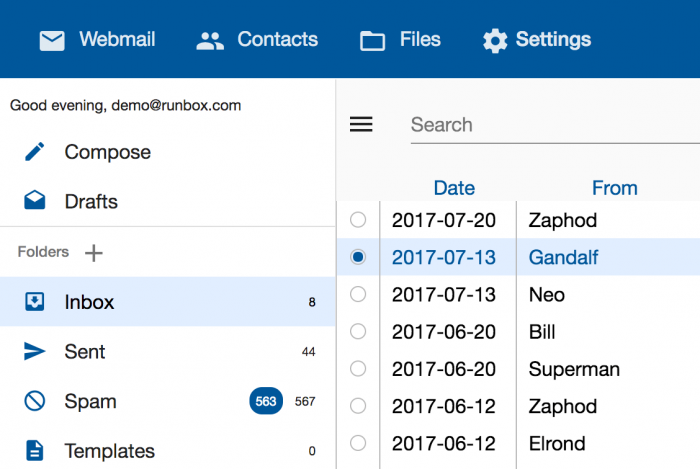
Screenshot sample of Runbox 7 Webmail

  • Instant folder views and search results.
  • Endless, smooth scrolling of folder contents.
  • Drag & drop message selection and moving to folders.
  • Incremental, instant search functionality.

The new webmail will be the cornerstone of Runbox 7, and is the first of several development stages that will culminate in a completely new user interface.

Please read on for details about Runbox 7 Webmail and how you can participate in the closed beta test.

Superior speed

Runbox 7 started with a crazy idea:

How can we create a webmail that’s not just faster, but responds instantly?

The solution we developed is a combination of database accelerated email storage, innovative message indexing, and cutting-edge web technology.

When you log into Runbox 7 Webmail, you enter a modern webmail environment built with Angular 5 and Material Design. Your email folders and messages will be shown instantly, giving you an immediate overview of your email.

The spacious layout, clean lines, and powerful engine lets you efficiently navigate the new features and get down to the business of effectively managing your email.

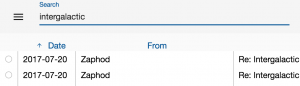
Incremental search

Incremental search
Incremental search

One of the core features of Runbox 7 Webmail is its search capabilities. We have built the search functionality in such a way that the browser doesn’t need to query the server at all.

Not only that, but this webmail will show you search results incrementally while you are typing in the Search field.

You have better things to do than waiting for search results, so we put a lot of effort into making the search function as fast as possible — and this is as fast as it’s possible to get.

Lots of cool functionality

Infinite listing: No more clicking back and forth to navigate your Inbox — just scroll down and the next messages will load automatically.

Threaded view: Want to see your messages in conversation view? Just tick the Threaded checkbox to the top right.

Unread messages: Only interested in the latest news? Tick the Unread checkbox.

Multi-select messages: Want to select many messages in a hurry? Just click the check box  of a message, and drag up or down while holding the mouse button down to select several messages in a row.

Runbox 7 preview pane

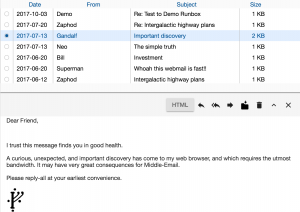
Preview pane: Who has time to actually open a message? Just select one in the list and a preview will be shown in the bottom half of the message list pane. To see more, click the ^ arrow in the preview menu.

Hide folders: Want more space for your messages? Just click the icon to the left of the Search area to hide the folder pane.

Draft Desk

Runbox 7 Draft Desk
Runbox 7 Draft Desk

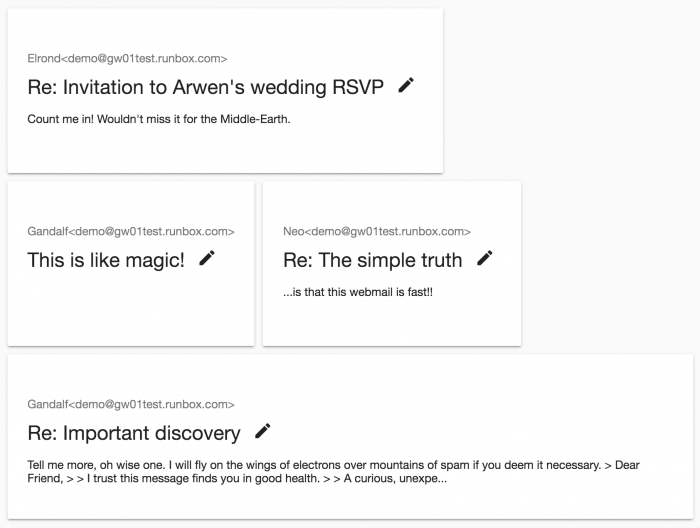
Another key feature of Runbox 7 Webmail is the Draft Desk — a completely new way of  managing drafts.

In our world of non-stop online communication, we often find ourselves multitasking and working on several threads in parallel. With our new Draft Desk you get a full overview of the messages you are currently working on, previewed side by side in an efficient interface.

Simply click on a draft preview to expand it, write down your thoughts, and send, save, or close the message to return to it later.

Mobile ready

We believe that you shouldn’t have to switch between different apps or user interfaces just because you switch between a laptop, a tablet, or a smart phone.

Therefore we built Runbox 7 Webmail to be mobile-ready and responsive from the ground up. This means that it will automatically adapt to your device’s screen size and orientation while retaining the basic functionality you are used to from a regular browser.

Join the closed beta test

To join the closed beta test of Runbox 7 Webmail, contact support@nullrunbox.com with the subject “Runbox 7 Webmail beta test”. If you are selected to participate, we will then be in touch with further details.

Share:

Continue Reading →

New Webmail design: Runbox Aero

2014 has been an exciting year for Runbox and we’ve seen a substantial increase in popularity and growth. This has really boosted our progress — we now have several major upgrades in the pipeline, and we are very happy to be launching a new Webmail design!

Runbox Aero PreviewWe’ve called the new design Runbox Aero because it’s lighter, airier, and simpler — and it makes using email a breeze!

Runbox Aero is inspired by modern, state-of-the-art design, and we have listened carefully to feedback from you in order to make it both aesthetically pleasing and user-friendly.

You can try the new design now by going to
Webmail > Preferences and selecting Runbox Aero from the drop-down menu. Make sure you click Save Settings afterwards!

You will quickly notice some of the improvements, but the following changes are worth mentioning:

Modernized look

  • The font face has been replaced with a larger, lighter, and more modern font. A bolder font face is available in an alternative design.
  • The header has been shrunk to make more room for your email.
  • All the icons have been redesigned and optimized for retina (high resolution) displays.
  • All buttons have been enlarged and are now dark blue to make them easier to see.

Better menu navigation

  • The sub-menus have been enlarged to make them easier to navigate.
  • The Compose button has been moved to the far left and made more prominent.
  • The Folder Management button has been removed — just click Folders at the top of the folder list or the Folder Management link underneath it to access the Folders screen.
  • The Read, Unread, Flag, and Unflag buttons can now be accessed by hovering the cursor over the new Mark button.

Simplified Compose screen

  • The Compose screen has been simplified to only show the most important fields. To see the BCC, Attachments, Tags, and Nicknames fields, just click “Show all fields”.

We hope you like the new design, and please let us know if you have any comments or suggestions!

Share:

Continue Reading →

New feature: Tag management

Many of our customers use message tags as an alternative to folders in order to organize and categorize their email.

You can now manage your message tags by clicking Tags in the left pane in Webmail, or by going directly to https://runbox.com/mail/tags. The Tag management screen lets you add and delete tags, and get an overview of the messages that are already tagged.

To add a tag to a message, just open the message, select the tag name (or [New tag] to enter a new tag name) and click “Add tag”.

Share:

Continue Reading →

Runbox now supports Forward Secrecy

In recent weeks there has been some discussion in news outlets about SSL/TLS, which is used by many websites to encrypt the data being transferred between web servers and web browsers.

Since it’s theoretically possible for outsiders to break such encryption, an increasing number of people are requesting improved encryption methods.

What is SSL/TLS?

SSL (Secure Sockets Layer) and its successor TLS (Transport Layer Security) are cryptographic methods used to secure communication on the Internet. By using pairs of private and public keys, the web server and the client can securely encrypt and decrypt the data being transferred between two parties.

Gold-padlock.svgWhen a web browser connects to a website protected with SSL or TLS (indicated by a padlock icon in the browser) it receives the public key from the server, which is then used to encrypt the subsequent communication. The data can only be decrypted using the private key, which resides on the server.

The problem with keys

However, if someone was able to break in and copy the private key from a server, they would theoretically be able to decrypt any communication to/from that server — provided that they were also able to eavesdrop on the communication.

The solution: Unique keys

To counter this it’s recently become possible to configure web servers to issue a unique key pair for every single connection, and immediately destroy the keys once the session is complete.

This method is called Forward Secrecy because it prevents anyone from retroactively breaking the encryption.

Forward Secrecy on Runbox

Runbox has now implemented Forward Secrecy in order to further improve the security and privacy of our services. It’s now virtually impossible to eavesdrop on the data being transmitted between your web browser and Runbox’ web servers — and you don’t have to do anything in order to enjoy this new level of security.

For those who are interested in the technical details, here is an analysis of the security provided by https://runbox.com, which is now our main address:

https://www.ssllabs.com/ssltest/analyze.html?d=runbox.com

Share:

Continue Reading →

Moving to Runbox 6

In order to improve the security of our email services have moved our front page to a new and upgraded server running Runbox 6 at https://runbox.com.

In preparation for this we have modified Runbox 6 to redirect Runbox 5 users to the corresponding server, if your account settings indicate that you have not yet upgraded to Runbox 6.

In other words, if you have been logging in at https://rmm6.runbox.com and have never clicked the “Switch to Runbox 6” button in Runbox 5, you will be redirected to Runbox 5.

To continue using Runbox 6, please click “Switch to Runbox 6” at the bottom of the folder list in Webmail.

Share:

Continue Reading →

New function: Choose signature location

There has been some discussion about our recent modification in Runbox 6 to place signatures at the bottom of replies and forwarded messages instead of above them. Some people prefer top-posting, while others adhere to the more traditional bottom-posting style.

So… We’ve now added an option to choose whether your signature should appear above or below quoted text! You will find the new option under Signature in Preferences.


Share:

Continue Reading →

New function: Save recipients in Contacts

In Webmail > Compose (Runbox 6 only) you now have the option to save the recipients of a message in Contacts.

This option is found next to the Send button, and if checked, it will add any recipients to Contacts that aren’t already listed there. The new contacts will be saved in a separate Group called “Auto-saved” to make it easier to find them in Contacts.

The next time you compose a message, the saved recipients will show up in the Groups and Contacts list to the right. They will also appear as suggested matches when you start typing in the recipient fields.

Share:

Continue Reading →

Increased password strength

To protect your Runbox account, and any other online account you may have, it’s crucial to choose a good password. Your password needs to be unique enough to prevent others from guessing it or computers from cracking it.

This is becoming increasingly important since attackers can use powerful password cracking software and attacks are happening more often.

We see that many users choose passwords that are too simple, perhaps thinking that no one will try to gain access to their account, or that they don’t have anything to hide anyway.

The importance of strong passwords

However, if someone did gain access to your account unauthorized they could potentially use the contents to break into other accounts you may have, since email often contains login information to other services.

An intruder could also hijack an account in order to send large amounts of spam, which would  hurt not only the recipients of the messages, but also the account owner (due to returned, undeliverable messages). Furthermore, it could negatively impact Runbox as a whole, since it could get our service blocked by other email services.

Creating a good password

In Runbox 6, you can create a longer and more complex password using many different special characters.

Your password must be between 6 and 64 characters long, and can contain the letters a-z and A-Z, the numbers 0-9, and the following special characters:

+?=()&,.:;-_/*@!#~`#$%^&[]{}|\'”<>

We know, creating and remembering a long and complex password sounds like a big hassle. But it’s actually very simple, and could even be fun!

Just see our Tips for choosing and protecting passwords for a quick how-to.

Share:

Continue Reading →