Skip to content
runbox negative white
Runbox Blog
Fast, Secure and Privacy Protected Email hosted in Norway
  • Blog
  • Help
  • Forum
  • runbox.com

Posts

Avoid Phishing Scams: What Every Runbox User Should Know

August 6, 2025 Andersen
Print 🖨 PDF 📄

At Runbox, we work hard to keep your inbox safe. But phishing attacks are growing more sophisticated with AI-generated content and QR-based attacks, and it’s crucial that you know how to spot them. Here’s what you need to know to protect your account and your information.
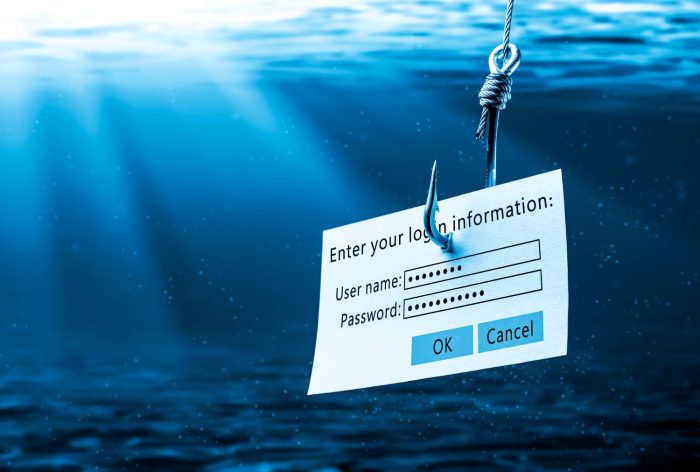
Login Information Attached To Large Hook Under Water With Sunlight Phishing Concept

🛑 What Is Phishing?

Phishing emails are a type of scam where attackers send emails pretending to be trusted services such as Runbox. The main goal is to trick you into giving up your login info – your username and password – so attackers can access your account. Often, they do this by sending urgent messages to lure you in. They might:

  • Pretend to be from Runbox
  • Urge you to “verify your account” or “avoid deactivation”
  • Link to a fake login page that looks legitimate – but isn’t
  • Include malicious attachments or QR codes

🔍 Watch Out for Fake Login Pages

One of the most common phishing tricks is to link you to a login page that looks similar to the real Runbox login page – but it isn’t.
 Always check the URL carefully. 
If it doesn’t start with https://runbox.com, it’s not us.

Fake pages may copy our layout but can have small differences, like:

  • Slightly different colors or fonts
  • Strange login page with incorrect or poor quality logo
  • A strange or misspelled URL (web address)
  • Missing security indicators (like the padlock icon in your browser)

SCAM ALERT red stamp text vector, rubber stamp

👀 How to Spot a Phishing Email

  1. Check the sender address: Genuine Runbox emails always come from @runbox.com.
  2. Look closely at links: Hover before clicking. If it doesn’t point to runbox.com, don’t trust it.
  3. Be cautious with urgency: Phrases like “act now” or “account deactivated” are designed to pressure you. Runbox will never ask you to act urgently or threaten to suspend your account without warning.
  4. Watch for generic greetings: We always address you by name — never “Dear customer”.
  5. Review the formatting: Bad grammar, odd formatting, or off-brand visuals are red flags.

🔐 What You Can Do

  • Never enter your Runbox password anywhere except at https://runbox.com.
  • Use Two-Factor Authentication (2FA) to protect your account — available in your account settings.
  • Avoid scanning QR codes in emails unless you trust the sender completely.
  • Report phishing: Forward suspicious messages to support@nullrunbox.com.

⚠️ A Final Reminder

Phishing attacks are evolving fast – scammers are using AI to create convincing messages that bypass traditional filters. At Runbox, we’re continuously improving our detection tools, but your vigilance is key.

If something doesn’t feel right, don’t click — contact us. Thank you for helping us keep Runbox safe and secure for everyone.

Share:
Posted in: Security Filed under: data protection, digital sustainability, eco friendly, eco-friendly email, email, ethical email, ethical tech, european alternatives, GDPR, green email, green technology, identity, independent email, Norwegian email provider, phishing, privacy, privacy-first email, private email, Runbox, Runbox 7, runbox email, scam, secure email, security, spam, sustainability

Post navigation

← Email the Ethical & Sustainable Way
The AI Boom: Innovation, Investment, and the Risk of a Bubble →

Categories

  • About Runbox
  • Commentary
  • Environment
  • News
  • Privacy
  • Product Updates
  • Security
  • Tips & tricks

Recent Articles

  • Earth Day 2026: Our power, our planet – how your inbox can make a difference
  • Runbox vs. the CLOUD Act: Your data stays safe in Norway
  • Runbox: Redefining Ethics in Tech as an Ethical Consumer Best Buy
  • Post-Event Analysis of Email Service Incident March 4th, 2026
  • Why We Require a Norwegian Court Order to Disclose User Data
  • Democracy: Why Our Shared Values Matter More Than Ever
  • Are AI tools such as Gmail’s Gemini accessing your emails? What you need to know
  • Reflecting on 2025: Thank You for Being Part of Runbox
  • We are celebrating 25 years with new 3-year sub-account plans!
  • Runbox at 25: Celebrating a Quarter-Century of Sustainability, Privacy and Independence
  • Our Commitment to the Oslo Fjord and a Sustainable Future
  • Meet Runbox: Your Secure, Sustainable Email Alternative
  • The AI Boom: Innovation, Investment, and the Risk of a Bubble
  • Avoid Phishing Scams: What Every Runbox User Should Know
  • Email the Ethical & Sustainable Way
  • Strong Passwords Matter More Than Ever
  • Hosting, hosting and more hosting!
  • Recent Runbox 7 Updates
  • Runbox Mobile App (PWA)
  • Outlook stores email in Microsoft Cloud – what you need to know
  • Big tech alternatives
  • Choose Your Perfect Email Domain Name with Runbox
  • From Gadgets to Garbage: The Global E-Waste Crisis
  • How to Stay Safe and Private Online
  • EU’s AI Act versus GDPR – are there overlaps and contradictions?
  • Decentralized Email for Maximum Privacy and Security
  • The State of the Internet – Misinformation and the Role of Fact Checking
  • The Power of Big Tech
  • The Runbox Difference: Real People, Real Support
  • Your Data, Your Rights: A Guide to GDPR

Archives

  • About Runbox
  • Terms of Service
  • Privacy Policy
  • Support
  • Help & Documentation
Copyright © Runbox Blog — Primer Runbox WordPress theme by GTA